
Boost Post vs Ads Manager: Which Should You Use?

The short answer to boost post vs Ads Manager: tapping Boost is a quick, simplified way to pay for more reach on one post you already published, while Ads Manager is Meta's full control panel for planning campaigns around a business result such as leads, chats or sales. Boosting suits a small shop that wants more local eyes on a good post this weekend. Ads Manager suits anyone who needs to know which rupee produced which enquiry. Both bill the same ad account, and both are real ads.
This guide walks through what each option does, where boosting runs out of road and how to test both on a small budget. If you would rather hand the whole thing over, our page on working with a Meta ads agency in Coimbatore explains how we plan and report Facebook and Instagram campaigns.
What happens when you tap Boost

On a Facebook Page post or an Instagram professional account post, the Boost button opens a short flow with four or five choices:
- Goal. A small menu, typically along the lines of more profile visits, more messages, more website visits or more engagement. The exact list changes by app and country.
- Audience. An automatic audience built from people similar to your followers, a local audience around an address, or a simple custom one using age, gender, location and interests.
- Budget and duration. A daily amount and a number of days.
- Payment. The card or prepaid funds already on the ad account.
That is the appeal. A café owner on Avinashi Road can promote a new menu Reel from the phone in two minutes. Behind the scenes, Meta creates a campaign, an ad set and an ad, which is why boosted posts later show up inside Ads Manager.
The trade-off is control. You cannot choose individual placements, run a proper split test, use a website conversion event as the optimisation goal or exclude people who already bought from you. The boost flow optimises for whatever its chosen goal measures, which is often a cheap tap rather than a paying customer.
What Ads Manager adds

Ads Manager starts from the result you want and builds outward. When you create a campaign, Meta asks you to choose an objective (at the time of writing the list was Awareness, Traffic, Engagement, Leads, App promotion and Sales). That one choice changes who Meta shows the ad to. A Sales campaign hunts for people likely to buy; an Engagement campaign hunts for people likely to like and comment.
On top of the objective you get:
- Placement control. Run only on Instagram Reels and Stories, or leave Advantage+ placements on and let Meta spread the budget.
- Custom audiences. Website visitors, video viewers, people who messaged you and uploaded customer lists can be included or excluded.
- Conversion tracking. With the Meta Pixel or Conversions API installed, campaigns can optimise for a purchase, a booked call or a submitted form instead of a click.
- Several ads per ad set. Test three hooks or two offers against each other and let spend move to the winner.
- Instant forms and click-to-message. Lead forms and WhatsApp chat ads are built here, with far more settings than the boost flow offers.
- Scheduling and budget rules. Campaign budgets, lifetime budgets and day-parting for businesses that only answer phones in office hours.
You can still promote an existing post from Ads Manager by choosing "Use existing post" at ad level, so the likes and comments it already earned stay attached.
Side-by-side comparison

| Point of difference | Boost button | Ads Manager |
|---|---|---|
| Set-up time | A couple of minutes on a phone | Fifteen to forty minutes for a first campaign |
| Goals available | Short, simplified list | Full objective list with conversion options |
| Audience options | Automatic, local radius, basic interests | Custom, lookalike and exclusion audiences as well |
| Placements | Chosen for you | Chosen by you, or automatic |
| Testing | One post at a time | Multiple ads, A/B tests |
| Tracking | Mostly in-app metrics | Pixel and Conversions API events |
| Best for | Local reach, quick promotions | Leads, sales, retargeting, scaling |
When boosting is good enough

Boosting is not a mistake. It earns its place when:
- The goal really is visibility. A new branch opening in Saravanampatti, a festival offer or a hiring post just needs local people to see it.
- The post already performs organically. If a Reel is getting saves and shares without help, a boost puts more fuel behind something proven.
- Budgets are tiny and short. A few days of spend on one post rarely justifies building a full campaign structure.
- Nobody on the team has time to learn Ads Manager yet. A simple boost done consistently beats an elaborate campaign that never launches.
Keep boosted posts honest about what they can show. Reach, likes and profile visits are signs of attention, not proof of sales.
When to move to Ads Manager

Switch when any of these become true:
- You want enquiries, bookings or orders, and you want to know what each one cost.
- You keep paying to reach the same people and want to exclude existing customers or recent buyers.
- You want to show a second ad only to people who watched most of your video or visited a product page. That is retargeting, covered in detail on our page about Meta retargeting ads.
- You need a lead form with a qualifying question, or ads that open a WhatsApp chat with set greeting text.
- Monthly spend has grown to the point where a wasted week genuinely hurts.
A useful rule: boost to test which organic post deserves money, then rebuild the winner inside Ads Manager with a real objective.
How to test both with a small budget
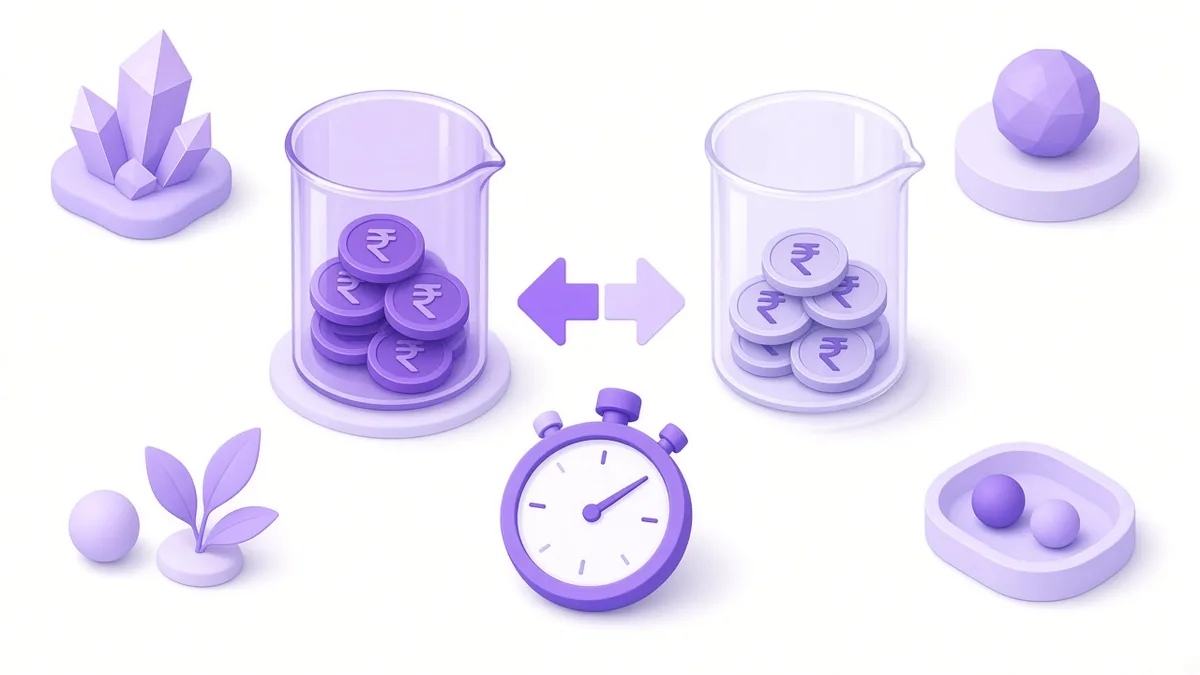
You do not have to pick a side blind. A simple two-week test tells you more than any opinion.
Week one: boost. Choose your best recent post. Boost it to a local audience with the goal closest to what you want, for example messages. Note the spend, the number of messages and how many of those chats turned into a booking or an order. Keep the count in a notebook or a sheet.
Week two: Ads Manager. Use the same post through "Use existing post". Choose the Engagement objective with messaging as the conversion location, or the Leads objective with an instant form. Use the same daily budget and a similar audience. Count the same things.
Example (illustrative, not a client result): a boutique in RS Puram spends ₹3,500 over seven days on a boost and gets 40 messages, of which 4 become sales. The next week the same ₹3,500 in an Ads Manager campaign brings 28 messages, of which 6 become sales. Fewer chats, but more buyers, so the second route wins for that shop. Your own numbers may run the other way, which is exactly why you test.
Three habits make this test fair:
- Keep budget, audience and creative as close as possible across the two weeks.
- Judge on sales or bookings, not on likes or reach.
- Avoid running it during a festival week for one side and an ordinary week for the other.
If you prefer to grow without paying for reach at all, our guide to organic Instagram marketing covers Reels, carousels and profile set-up.
Frequently asked questions

Do boosted posts show up inside Ads Manager?
Yes. Every boost creates a campaign behind the scenes, so it appears in Ads Manager with its spend and results. You can review it there, although editing it is usually easier from the place you boosted it.
Can I edit an Instagram post after boosting it?
Changing the caption or media of a post that is already running as an ad can send it back for review or stop the promotion. Make edits before you boost, or pause the boost first.
Why was my boost rejected while normal posts stay live?
Paid posts are checked against Meta's Advertising Standards, which are stricter than the Community Standards for normal posts. Common reasons include before-and-after health claims, copyrighted music in the post and personal attribute wording such as "Are you overweight?".
Is it better to boost from Facebook or from Instagram?
Both use the same ad system. Boost from the app where the post performed best organically, and check that your Facebook Page and Instagram account are linked so both placements are available.
Can I use a WhatsApp button on a boosted post?
In many regions the boost flow offers a messages goal that can send people to WhatsApp, Messenger or Instagram Direct, provided your WhatsApp number is linked to the Page. For greeting text, scheduling and chat tracking, build the ad in Ads Manager instead.
Ready to stop guessing which button to press?

If your boosts bring likes but very few customers, a short review of your ad account usually shows why. Visit our Meta ads agency in Coimbatore page to see how we set objectives, tracking and monthly reports, or call +91 93429 52626 to book a free check of your current campaigns.
About the author: Karthik N, Founder of Xtrodinry in Coimbatore and SEO strategist. Connect on LinkedIn · About Xtrodinry
Xtrodinry · 4/175/A, Vijayalakshmi Nagar, Panappatti, Coimbatore, Tamil Nadu 641201 · +91 93429 52626 · info@xtrodinry.com