
Small Business Website Checklist: The Pages and Features You Actually Need
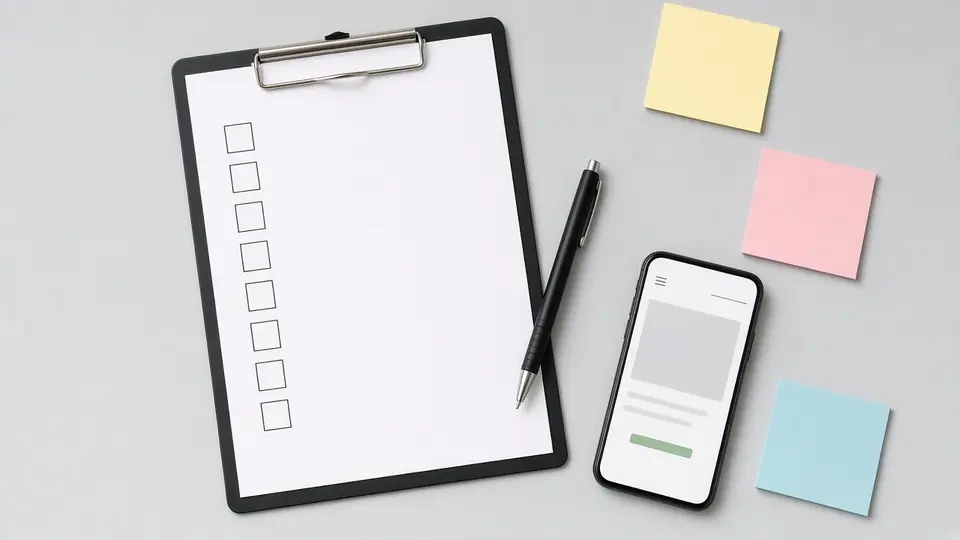
Most small business websites that fail do not fail because of the colours or the font. They fail because a key page is missing, the phone number is hard to tap, or Google cannot read the site properly. Before you talk to any designer, it helps to know what the finished site must include. This checklist sets out the small business website requirements we look for on every project: the pages, the features, the technical basics and the content you will need to hand over.
If you want help planning or building the site itself, our website design service page explains how we work with local businesses in Coimbatore, Tiruppur and Erode.
Start with requirements, not a design
A good website brief answers three questions before anyone opens a design tool:
- Who is the site for? A Peelamedu clinic serves patients nearby; a Tiruppur garment exporter may serve buyers abroad. The audience changes the language, the pages and even the contact options.
- What should a visitor do? Call, send a WhatsApp message, fill a form, book a slot or buy a product. Pick one main action and one backup.
- How will people find it? Through Google search, Google Maps, ads or social media. Each route needs different landing pages.
Write these answers down. They become the yardstick for every decision that follows.
The core pages every small business website needs
Home page
The home page should tell a stranger, within a few seconds, what you do, where you do it and how to contact you. Put a clear headline, a short line on who you serve, your main call-to-action button and a few reasons to trust you above the fold on a phone screen.
About page
Customers want to know there are real people behind the business. Share when and why you started, who runs it, where you are based and what you stand for. Use genuine photos of your team or premises rather than stock pictures of strangers.
Services or products overview
One page that lists everything you offer, with a short line on each and a link to its own page.
One page per main service
This is the requirement most small sites skip. A single "Services" page that lists ten things in bullet points rarely ranks for any of them. A separate page for each main service, written around the questions buyers ask, gives Google something specific to show. We explain why in our guide on what SEO is and how it works.
Contact page
Phone number, email, WhatsApp link, full address, an embedded map, opening hours and a short form. If you serve several areas, such as Saravanampatti, RS Puram and Ganapathy, say so in plain text.
Trust and legal pages
- Privacy policy: if your site collects names, phone numbers or emails through a form, you need one. Our post on the DPDP Act and marketing explains why consent and clear notices matter now.
- Terms of use or terms of sale: essential for online stores, useful for service businesses that take bookings.
- Reviews or testimonials: only real ones, with the customer's permission. Linking to your Google reviews is often more convincing than quotes on your own site.
- Credentials: certifications, registrations or memberships that apply to your trade.
Features that turn visitors into enquiries
A requirement list should include the small features that decide whether someone actually gets in touch:
- Tap-to-call phone number in the header on mobile.
- WhatsApp button that opens a chat with a pre-filled message.
- Short enquiry form with only the fields you truly need. Every extra field loses some people.
- Clear call-to-action on every page, not only on the contact page.
- Thank-you page after a form is sent, so you can measure enquiries in analytics and in Google Ads if you advertise.
- Map and directions for businesses that receive walk-in customers.
- Booking or appointment tool if your business runs on time slots.
Technical requirements
These are invisible to most visitors, but they decide how the site performs in search and on phones.
- Mobile-first layout. Test on a mid-range Android phone on mobile data, not only on a laptop.
- Fast loading. Compress images, avoid heavy sliders and auto-playing videos, and check the page in Google's PageSpeed Insights.
- HTTPS security certificate on every page.
- Readable page addresses such as /services/ac-repair rather than /page?id=27.
- Unique title and meta description for each page.
- XML sitemap submitted in Google Search Console.
- Analytics and conversion tracking set up from day one, so you can see what works.
- Basic structured data (schema) for your business name, address, phone and opening hours.
- Backups and updates handled by someone named, with access you control.
- Ownership of the domain, hosting and accounts in your business name, not the designer's.
Content you will need to supply
Designers can shape and polish content, but much of it has to come from you:
- Your logo files and brand colours
- Real photos of your work, team and premises
- A list of every service with a short description of what is included
- Answers to the ten questions customers ask most often on the phone
- Areas you serve and your working hours
- Any certificates, awards or memberships you can prove
Late content is the most common reason small business websites launch weeks behind schedule. Gather it early.
Nice to have vs skip for now
Not every feature belongs in version one. A practical split for most local businesses:
| Launch now | Add later if needed |
|---|---|
| Core pages and one page per service | Blog with regular articles |
| Tap-to-call, WhatsApp, enquiry form | Live chat software |
| Google Business Profile link and map | Multi-language pages |
| Analytics and Search Console | Customer login area |
| Privacy policy | Online payments for services |
A blog is valuable, but only if someone will write for it regularly. An empty "News" section with one post from two years ago looks worse than no blog at all.
Example (illustrative, not a client result): A small physiotherapy clinic in Vadavalli might launch with a home page, an about page, one page each for back pain, sports injury and post-surgery rehab, and a contact page with a booking link. That is six pages, each with a clear purpose. A blog and Tamil-language pages can follow once the basics bring in calls.
Pre-launch sign-off list
Before the site goes live, walk through this list yourself:
- [ ] Every page has a unique title and description
- [ ] Phone number and WhatsApp work when tapped on a phone
- [ ] The form sends to an inbox someone checks daily
- [ ] Address and hours match your Google Business Profile exactly
- [ ] Privacy policy is linked in the footer
- [ ] No placeholder text or dummy images remain
- [ ] Old page addresses, if any, redirect to the new ones
- [ ] Sitemap submitted and analytics recording visits
Keeping your website details consistent with your Google listing also supports your map rankings. Our local SEO service in Coimbatore covers that side, and our post on whether Google Business Profile is free answers a common worry.
Frequently asked questions
How many pages does a small business website need?
There is no fixed number. Start with home, about, contact and one page for each main service you want to be found for. For many local businesses that adds up to somewhere between five and fifteen pages.
Do I need a blog on my business website?
Not on day one. A blog helps when you can publish useful articles regularly. If you cannot, focus on making each service page thorough.
Can I update the website myself after launch?
Ask for this as a requirement. Most modern platforms let you edit text and images without code, but you need a short handover session and your own login.
What should I check if I already have a website?
Run through the technical requirements and the sign-off list above. Missing service pages, slow mobile loading and no tracking are the most common gaps. If you are planning a cost comparison as well, see our guide on website design cost in Coimbatore.
Need help planning your website?
Share your list with us and we will tell you honestly what is essential and what can wait. Visit our website design service page or our SEO services page, call +91 8431921721, or write to info@xtrodinry.com.
About the author: Karthik N, Founder of Xtrodinry in Coimbatore and SEO strategist.
Xtrodinry · 4/175/A, Vijayalakshmi Nagar, Panappatti, Coimbatore, Tamil Nadu 641201 · +91 8431921721 · info@xtrodinry.com