
Email and WhatsApp Marketing Automation for Small Businesses
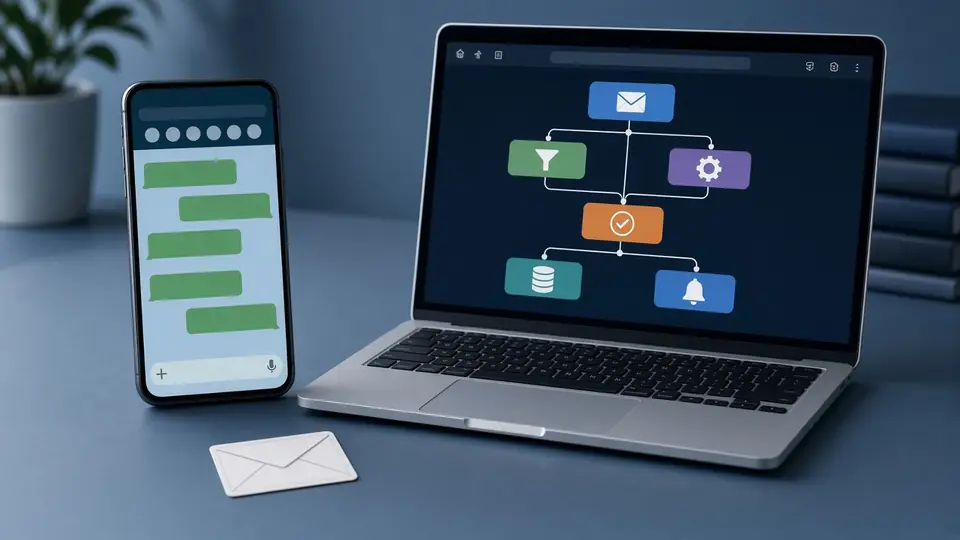
Every small business loses some customers simply because nobody followed up. An enquiry comes in on a busy Saturday, the reply goes out on Monday, and by then the customer has booked someone else. Marketing automation fixes that gap. It means setting up messages that go out on their own when something happens: a form is filled, an order is placed, an appointment is due or a customer has gone quiet.
For most small businesses in India, the two channels that matter are email and WhatsApp. This guide explains which messages to automate first, how to stay on the right side of consent rules, and how to choose tools without overspending. If you want help planning the messages and content behind your automation, see our content marketing service.
Email vs WhatsApp: when to use which
Both channels work, but they suit different jobs.
| Use WhatsApp for | Use email for |
|---|---|
| Quick confirmations and reminders | Invoices, receipts and documents |
| Replies to enquiries within minutes | Longer guides, newsletters and updates |
| Order and delivery updates | Business-to-business follow-ups |
| Short offers to customers who opted in | Records that need to be searchable later |
In practice, many Coimbatore businesses use WhatsApp for speed and email for detail. A clinic may confirm a booking on WhatsApp and send the prescription or report by email.
Six automations worth setting up first
Start small. These six cover most of the value for a typical local business.
1. Instant enquiry reply
When someone fills a form or messages you, send an immediate acknowledgement with what happens next and your working hours. Even a simple "We have received your enquiry and will call you within two working hours" keeps people from moving on.
2. Lead follow-up sequence
If an enquiry does not turn into a booking, send two or three helpful follow-ups over the next week: answers to common questions, a reminder of what you offer, and a final check-in. Stop as soon as they reply.
3. Appointment or delivery reminders
A reminder the day before an appointment, and another a few hours before, reduces no-shows for clinics, salons, coaching centres and service visits.
4. Order confirmation and updates
For online sellers, automatic messages for order confirmation, dispatch and delivery reduce "where is my order?" calls.
5. Review request
After a completed job or delivery, send a polite message asking for a Google review, with a direct link. Time it for when the customer is most likely to be happy.
6. Win-back message
Customers who have not returned in a long time can receive a friendly reminder, such as a service due date for vehicles, AC units or water purifiers.
Consent, opt-outs and the DPDP Act
Automation is powerful, which is why consent matters.
- Collect clear permission before sending marketing messages, and record when and how it was given.
- Separate service messages from promotions. An order update is expected; a sale announcement needs consent.
- Make opting out easy, and honour it promptly.
- Keep only the data you need, and protect it.
India's Digital Personal Data Protection Act sets rules on how businesses collect and use personal data. Our plain guide to the DPDP Act and marketing explains what to check. WhatsApp also has its own policies and quality ratings; sending unwanted messages can get your number restricted.
WhatsApp Business app vs WhatsApp Business Platform
- WhatsApp Business app: free to download, with a business profile, catalogue, labels, greeting messages, away messages and quick replies. Good for a single phone and modest message volumes. Its automation is limited to these basic features.
- WhatsApp Business Platform (often called the API): accessed through Meta directly or an approved provider. It supports pre-approved message templates, automated flows, multiple team members and connection to your CRM or store. Meta charges for certain conversations or messages under its own pricing, which changes from time to time, so check Meta's official pricing page and your provider's fees before deciding.
Many small businesses start with the free app and move to the platform when message volume or team size grows. If you run ads that open a WhatsApp chat, our click-to-WhatsApp ads service and our post on WhatsApp ads cost in India explain how the two fit together.
Choosing tools: questions to ask
There are many email and WhatsApp automation tools, from simple newsletter platforms to full CRMs. Rather than picking a brand first, ask:
- Does it connect to where your leads arrive: website forms, Meta lead ads, your online store?
- Can it send both email and WhatsApp, or will you need two tools?
- Is it an approved WhatsApp Business Platform provider?
- Can your team use it without a developer?
- Who owns the contact list if you stop using it, and can you export it?
- What are the total monthly costs at your expected message volume?
If your leads come from Meta lead forms, test that each one reaches the tool before you go live. Our guide to the Facebook lead ads testing tool shows how, and our Meta lead ads service covers the full setup.
Writing automated messages that do not feel robotic
- Use the customer's name and refer to what they asked about.
- Keep WhatsApp messages short. One clear point and one action per message.
- Write in the language your customers use. A friendly Tamil-English mix may suit a local salon; a formal English tone may suit an engineering supplier.
- Always give a way to reach a real person.
- Read every message aloud before switching it on.
Example (illustrative, not a client result): A driving school in Peelamedu could send an instant WhatsApp reply to every web enquiry with batch timings, a reminder the evening before each first lesson, and a review request after the licence test. Three simple automations, all built on information the school already shares by phone.
Measuring results
Track a few numbers each month:
- Time taken to first reply to new enquiries
- Enquiries that became bookings or orders
- No-show rate before and after reminders
- Opt-outs and blocked messages, which signal that messages are unwelcome
- New Google reviews after review requests
Common mistakes
- Automating everything at once, then losing track of what is being sent
- Sending promotions to people who only agreed to service messages
- Long follow-up sequences that continue after the customer has replied
- No owner inside the business checking replies and handovers
- Copying the same message into email and WhatsApp without adapting the length
Frequently asked questions
Is marketing automation only for large companies?
No. A free WhatsApp Business app with greeting and away messages is already a small form of automation. Start there and grow.
Can I send bulk WhatsApp messages from my personal number?
It is risky and can get the number banned. Use the WhatsApp Business app or Platform and message only people who agreed to hear from you.
Do I need a CRM?
Not on day one. A spreadsheet works for very small volumes. A CRM helps once several people handle leads.
How many follow-up messages are too many?
There is no universal number. Two or three useful messages, stopping when the customer replies, is a sensible start. Watch opt-outs.
Want help setting up your follow-ups?
We can plan the messages, sequences and content behind your automation. Visit our content marketing service, call +91 8431921721 or write to info@xtrodinry.com.
About the author: Karthik N, Founder of Xtrodinry in Coimbatore and SEO strategist.
Xtrodinry · 4/175/A, Vijayalakshmi Nagar, Panappatti, Coimbatore, Tamil Nadu 641201 · +91 8431921721 · info@xtrodinry.com