Landing Page Best Practices: How to Build a Page That Converts Ad Clicks
Quick answer
A landing page that converts does one job. It matches the ad the visitor clicked, states the offer in the first screen, shows proof that you are trustworthy, and makes one action easy, such as calling, starting a WhatsApp chat or filling a short form. It loads fast on a phone, removes distractions like the full site menu, and is tested before the ads go live.
Many small businesses send ad traffic to their home page and wonder why the enquiries do not come. A home page tries to talk to everyone. A landing page talks to one person with one need. This guide lists the practices that make the biggest difference.
What is a landing page?
A landing page is a page built for visitors arriving from a specific campaign, usually an ad, email or social post. Unlike a normal website page, it has one goal and leaves out anything that does not support it.
A good test: if someone lands on it and does not know within five seconds what you offer and what to do next, the page is not working.
1. Match the page to the ad
Message match is the single most important practice. If the ad says "Knee pain physiotherapy in Peelamedu, first assessment this week", the page headline should say the same thing. Google's own Quality Score guidance recommends keeping messaging consistent from ad to landing page, and giving people what they searched for.
If you run several ad groups for different services, give each one its own page or at least its own headline and section.
2. Decide on one goal
Choose one primary action:
- A phone call
- A WhatsApp chat
- A short enquiry form
- A booking
- A purchase
You can offer a secondary option (for example, call or WhatsApp), but every button should lead to the same outcome: a conversation with you.
3. Get the first screen right
On a phone, the first screen is all many visitors see before they decide. It should contain:
- A clear headline that repeats the ad's promise
- A short supporting line on who it is for and what they get
- The main button, visible without scrolling
- A relevant image of your actual work, place or product
- One trust signal, such as your Google rating or years in business, only if true
4. Remove distractions
Hide the full website menu, sidebar links and unrelated offers. Every extra link is another way to leave. Keep your logo, phone number and the main action. A simple footer with your address and privacy policy is enough.
5. Write for the visitor, not about yourself
Lead with the visitor's problem and outcome. "Get your factory floor photographed for your new catalogue in one day" works better than "We are a leading photography studio". Use short paragraphs, plain words and bullet points. In Coimbatore, a line or two in Tamil can help if your customers prefer it.
6. Show real proof
People trust what they can check. Use:
- Genuine Google reviews, with names if customers allow
- Photos of real work, before and after where relevant
- Certifications, registrations and memberships that apply
- Your address and a map, so people know you are local
Never invent testimonials or numbers. Fake proof is easy to spot and damages trust.
7. Keep forms short
Ask only for what you need to follow up: usually name, phone and what they need. Every extra field gives a reason to stop. If you need more detail, ask on the call. Make sure the form works on mobile, and that submissions reach someone who replies quickly.
8. Make it fast
A slow page loses visitors before they see your offer. Google's Web Vitals guidance recommends that the main content loads within 2.5 seconds. Compress images, avoid heavy sliders and autoplay video, and limit third-party scripts. Our website speed guide covers this in detail.
9. Design for thumbs
- Buttons big enough to tap easily
- A sticky call or WhatsApp bar at the bottom of the screen
- Text readable without zooming
- Phone numbers that start a call when tapped
10. Answer objections with an FAQ
Think about why someone would hesitate: timing, location, what happens next, whether there is a visit charge. Answer those in a short FAQ near the bottom. Do not hide important conditions.
11. Track every conversion
Before launching, set up tracking for calls, form submissions and WhatsApp clicks in Google Ads and the Meta Pixel. Without tracking, you cannot tell which ads and pages work. Our call tracking guide and Meta Pixel guide cover the setup.
12. Test one change at a time
Once the page has enough visitors, test one element at a time: the headline, the main image, the button text or the form length. Change one thing, measure, then decide.
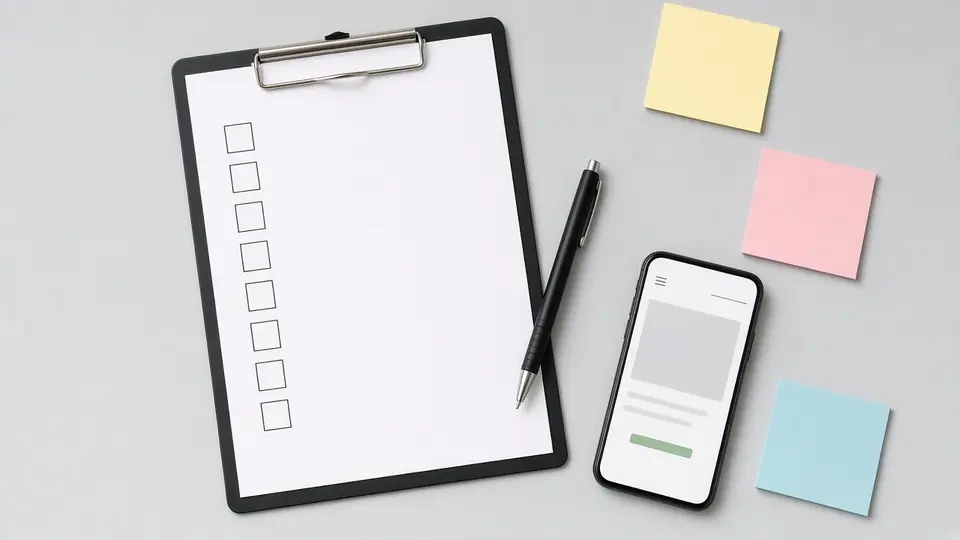
Landing page launch checklist
| Check | Done? |
|---|---|
| Headline matches the ad | ☐ |
| Main button visible on the first screen on a phone | ☐ |
| Full menu and unrelated links removed | ☐ |
| Real photos and genuine reviews | ☐ |
| Form has only essential fields and has been tested | ☐ |
| Tap-to-call and WhatsApp work | ☐ |
| Page loads quickly on mobile data | ☐ |
| Conversion tracking fires correctly | ☐ |
| Privacy policy linked | ☐ |
| Someone is ready to answer leads fast | ☐ |
Frequently asked questions
What is the difference between a landing page and a website?
A website has many pages for many purposes. A landing page is a single page built for one campaign and one action, with fewer distractions.
Should a landing page have a menu?
Usually not. Removing the main menu keeps visitors focused on the offer. Keep your logo, contact details and essential links like the privacy policy.
How long should a landing page be?
Long enough to answer the visitor's questions and short enough to stay focused. A simple, urgent service may need only a short page. A considered purchase may need more detail, proof and an FAQ.
Do I need a separate landing page for each ad?
Not for every ad, but for each distinct service or offer. If two ad groups promise different things, they should land on pages that match those promises.
Can I use my existing service page as a landing page?
Yes, if it matches the ad closely, loads fast and has a clear action. Many businesses start that way and build dedicated pages as campaigns grow.
Need a landing page built?
Our landing page design service builds fast, focused pages for Google and Meta campaigns. For a full site, see our website design service.
Talk to us
If your ads get clicks but not enquiries, the landing page is usually the first place to look. We can review it or build one that matches your campaign. See our digital marketing services or contact us. Call +91 84319 21721 or email info@xtrodinry.com.
About the author: Karthik N, Founder of Xtrodinry in Coimbatore and SEO strategist. Connect on LinkedIn · About Xtrodinry
Xtrodinry · 4/175/A, Vijayalakshmi Nagar, Panappatti, Coimbatore, Tamil Nadu 641201 · +91 84319 21721 · info@xtrodinry.com